
Two critical PHP security flaws: what happened and who is at risk
Two critical PHP flaws can let strangers run code on your server without logging in. How they work, which sites are affected and what to ask your host.
A new PHP vulnerability can let strangers run code on your server
If your site runs on PHP, a stranger on the internet could, in the worst case, make your server run their own code, without logging in and without any misconfigured plugin. That is the core of two critical security holes PHP fixed on October 21, 2026. The flaws are in PHP itself, the engine that runs the site, not in your theme or your plugins.
This post is about the flaws themselves: what goes wrong inside PHP, why it is rated so serious, which sites are affected and what it means for a business with a WordPress or PHP site. We build our own websites and many of our clients' sites on Cloudflare without PHP on the server, so they are not affected. But a large part of the web is, and that makes the question worth asking today.
Background: what PHP is and why a leak moved the release forward
PHP runs under WordPress, Drupal, Magento, Joomla and Laravel
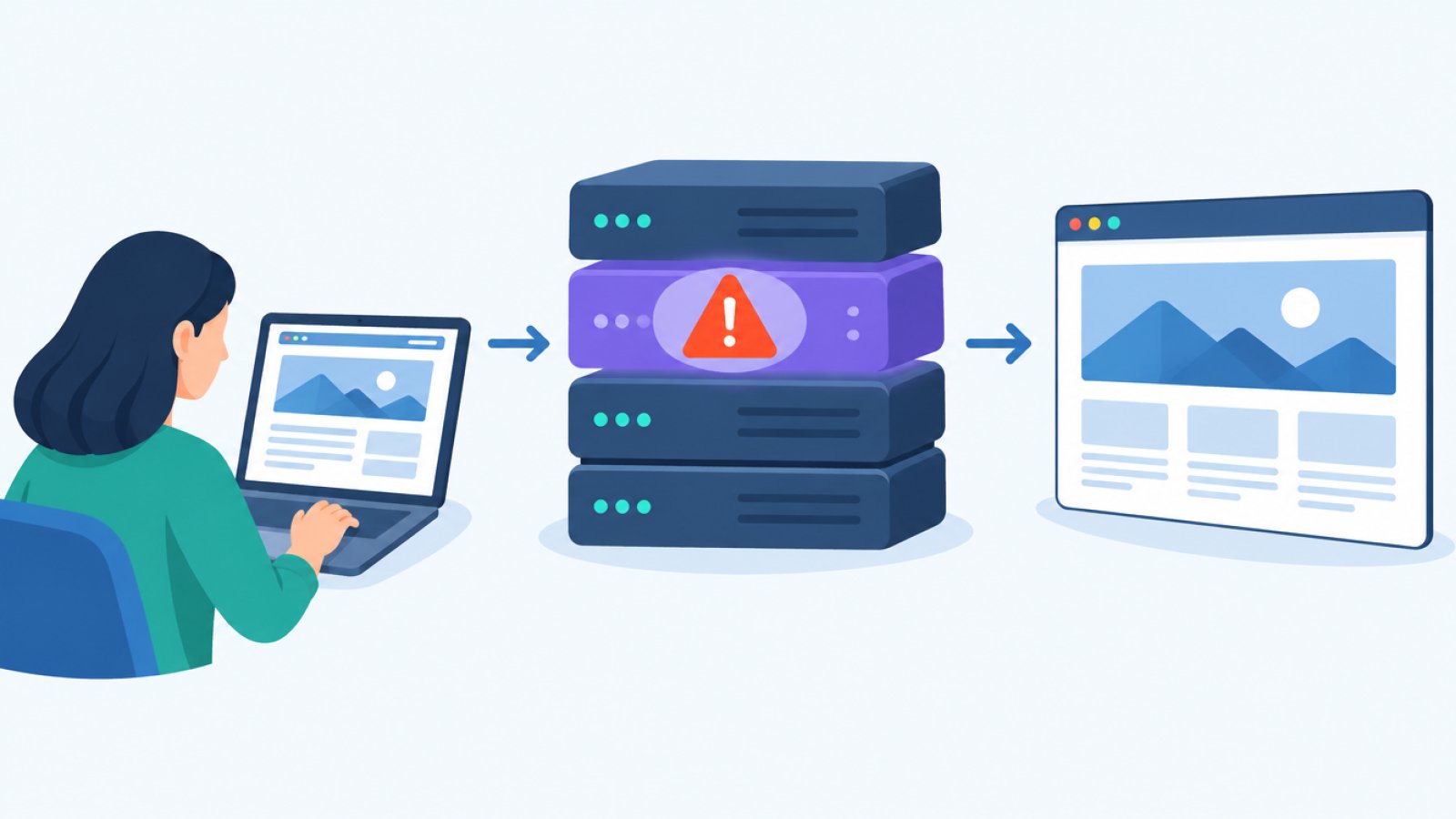
PHP is the programming language and engine that runs the server side of a large part of the web. When someone opens a page on a WordPress site, PHP on the server builds the page before it is sent to the visitor. According to Patchstack, WordPress, Drupal, Magento, Joomla, Laravel and other PHP applications are exposed if they run on a vulnerable PHP version. WooCommerce sits on top of WordPress and shares the same foundation.
It is important to understand that PHP is not part of the site's own code. It comes from the server package, the hosting provider or the container image the site runs in.
The leak, the advance notice and the release on October 21
According to Rescana, the details leaked on October 20, one day before the planned publication on October 22. PHP then issued an advance notice, and CERT-EU published its advisory 2026-018 the same day. Cloudflare confirms that the vulnerabilities leaked before the release and that it has seen real attacks. At 03:02 UTC on October 21, Cloudflare automatically rolled out 14 new rules in its firewall (WAF), on all plans, including the free plan. That was hours before the release at 14:00 UTC.
PHP released the fixes on October 21 in versions 8.5.12, 8.4.27, 8.3.36 and 8.2.35. PHP's own advisory says the flaws can allow unauthenticated remote code execution (RCE) and that you should update right away.
What goes wrong inside PHP
Two memory bugs in PHP's engine, explained without jargon
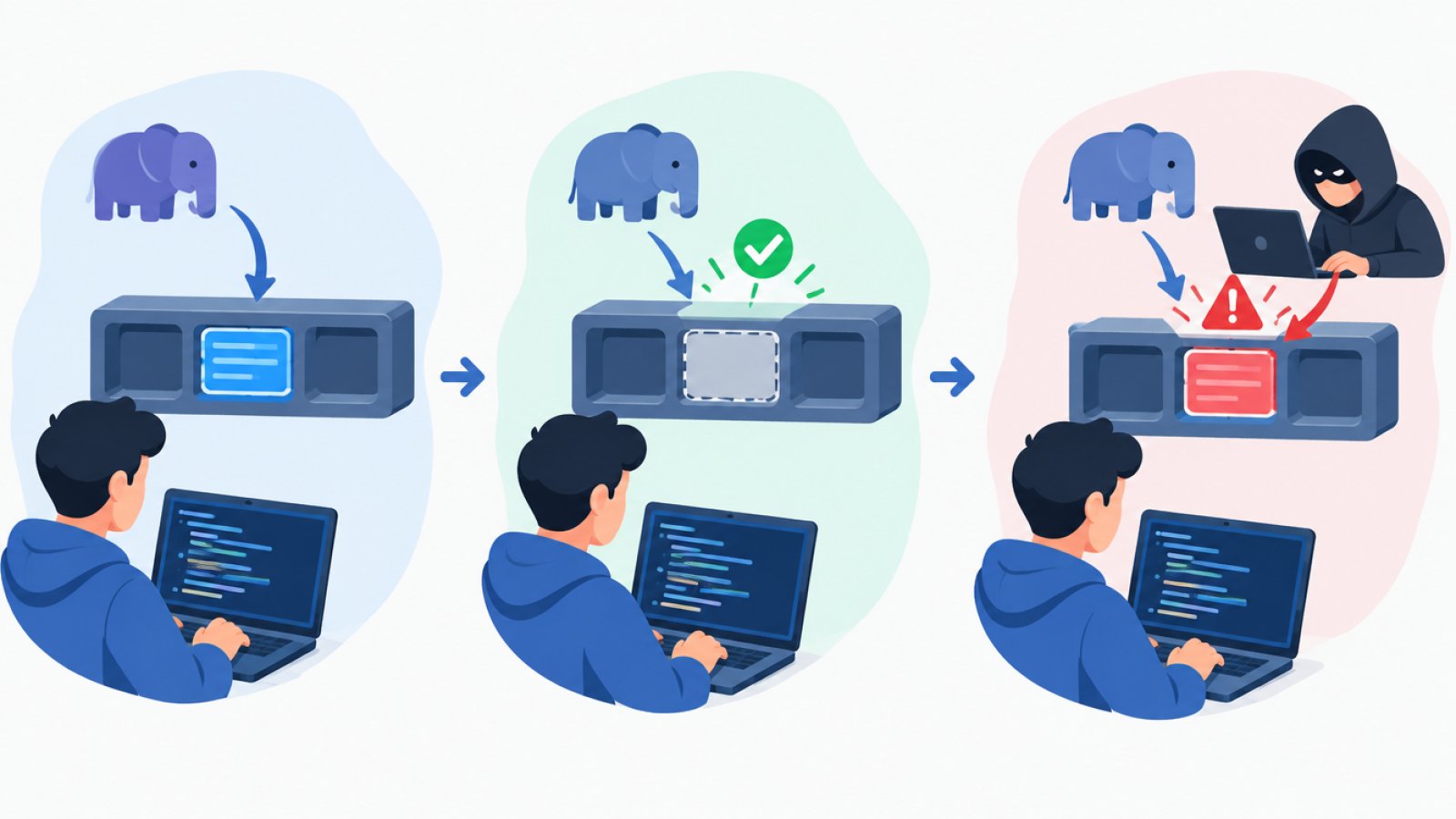
There are two vulnerabilities, CVE-2026-109618 and CVE-2026-109619, which the media call PHP2Shell. Both are memory bugs of the use-after-free type. Put simply, the server reads from memory that has already been handed back, and if an attacker can influence what ended up there, they can steer what PHP does next.
According to PHP's own advisories, as Patchstack quotes them, the two flaws look like this:
- CVE-2026-109618: PHP can be interrupted by running out of memory while internal request data is only partly ready. The cleanup afterwards can then treat broken data as valid.
- CVE-2026-109619: Internal data from one request lives on after its memory has been freed. A later request in the same worker process can then use the old data.
Cloudflare describes the flaws the same way. The sources do not fully agree on the exact technical cause, though. Sansec describes the first flaw as a bug in upload-progress handling and the second as a bug in error backtraces and OPcache. Here we stick to PHP's own description, and the details may be clarified later.
Unauthenticated remote code execution: why no login is needed
Unauthenticated RCE means that an attacker who can reach the site over the internet can make the server run their own code without logging in. The code runs with the same permissions as the PHP process. CERT-EU writes that the 9.2 score points to exactly that risk. Cloudflare also lists overload and leaked data as possible effects.
Patchstack writes that PHP rates the risk as highest for mod_php. There, an unauthenticated request can trigger the attack before any application code has run.
If the flaw strikes before WordPress has done anything, neither login protection nor security settings inside WordPress help.
What CVSS 9.2 means and what we do not know yet
CVSS is a scale up to 10 for how serious a vulnerability is, and anything above 9 counts as critical. Both flaws scored 9.2, on CVSS version 4.0. You may see other numbers in the discussion, but PHP's official score is 9.2.
What we know less about is how widespread the exploitation is. According to Insurance Journal, Cloudflare's CTO described the situation as a stopgap and said to patch as soon as PHP releases the update. Patchstack's telemetry shortly after the release showed only probing, with no hard evidence of break-ins, but they expect that to change as the details become known. Rescana could not confirm exploitation in the wild, and neither vulnerability was in CISA's KEV catalog at their update. The accurate wording today is that early attacks have been reported, not that sites are being hacked at scale.
Which sites are affected
It does not matter which plugins you have
The flaws are in PHP, so what matters is which PHP version and which runtime your site uses, not which plugins or themes you have installed. According to Laravel News, it applies to every PHP installation that handles web requests: PHP-FPM, Apache with mod_php, php-cgi, FrankenPHP and LiteSpeed. Laravel News also writes that the PHP team says there are no complete mitigations.
The security firm Wiz Research says it has demonstrated unauthenticated RCE against WordPress, Drupal and Joomla, and Sansec writes that researchers confirmed it against Magento 2.4.9 and ten other PHP applications. Note that both Wiz and Sansec are security firms, not the PHP project itself. Wiz also claims the flaws affect "70 percent of the internet", but that is the company's own figure in a headline and nothing we can vouch for.
PHP 8.2 to 8.5 can be patched, PHP 8.1 and older get no official fix
The PHP project only fixes the four supported branches, 8.2 to 8.5. Only for these is it confirmed that they are affected and that a fix exists. Before the release, CERT-EU wrote that all versions from PHP 5 and up may be affected, and Sansec, Wiz and Cloudflare say PHP 5.4 and later. PHP has not confirmed that range, but older versions are likely affected.
PHP 8.1 and older have been out of support for a while and get no official fix. Laravel News writes that PHP has still published minimal source backports for PHP 7.4, 8.0 and 8.1 for those who build PHP themselves without an LTS provider. Ondřej Surý's package repository, where many Debian and Ubuntu servers get PHP, has also reportedly released fixed packages all the way back to PHP 5.6. For a business, this in practice means the site needs to move to a supported version, or the hosting provider has to backport the fix. Some distributions and LTS providers do exactly that, so the version number alone does not always tell the whole story.
What it means for a business with a WordPress or PHP site
How to check which PHP version your site runs
In WordPress, you find the version under Tools, Site Health, Info, Server. Write it down, then ask your hosting provider when PHP will be patched for CVE-2026-109618 and CVE-2026-109619. If the site runs PHP 8.1 or older, it should move to 8.2 or newer, and according to Moatline you can often switch per domain in the hosting panel, for example cPanel.
Before you switch versions, back up your files and database and test on a staging copy. Older plugins and themes can break on newer PHP, according to Unlimited Web Hosting. Click through the key pages, forms and checkout afterwards.

Who is responsible for what: hosting, agency and you
Updating WordPress, plugins or a web application does not update the PHP underneath. That is why an agency that runs your WordPress site cannot fix this in the site's code. It has to be done on the server side, according to The Hacker News.
Responsibility splits roughly like this:
- Shared hosting: The provider often patches PHP, but you have to make sure the site runs on a supported version. Some providers only patch the newest versions.
- Your own VPS: You or your agency have to install the update and restart PHP-FPM or the web server.
- The agency: Can help with testing, switching versions and checking that the site works afterwards, but cannot fix the flaw in the site's code.
CERT-EU recommends that organizations identify their PHP-based applications and patch right away. If that is not possible, they should consider isolating internet-facing applications from public networks until a fix is in place, and Insurance Journal describes this as sites possibly having to go offline.
If your site runs through Cloudflare, you have extra protection meanwhile
If the traffic to your site goes through Cloudflare, its new firewall rules already block the known attacks, even on the free plan. That buys time until PHP is updated. Two things still apply. The protection only works if all traffic really goes through Cloudflare and the server cannot be reached directly around it. And Cloudflare itself says to patch PHP even with its rules in place. The firewall is an extra layer, not a fix.
Common mistakes: temporary settings, firewalls and assuming the host fixes everything
Thinking a temporary setting is enough. Suggestions like turning off session.upload_progress or blocking file uploads have been going around. PHP core developer Gina Peter Banyard says the only fix is to patch or upgrade PHP. The setting can only stop one of the flaws anyway, and blocking uploads can break contact forms and checkouts. Laravel News writes that PHP's list of settings reduces exposure but does not make the installation safe.
Relying on a firewall or a security plugin. A WAF like Cloudflare's blocks known attack patterns and is worth having, but it does not fix the flaw in the PHP interpreter itself. New variants of the attack can get past it, and a WAF does not help if the server can be reached directly. A security plugin in WordPress does not help at all, since the flaw can strike before WordPress runs.
Assuming the host takes care of it. See the split of responsibility above: on shared hosting you still need to check the version, and on a VPS it is your own job.
If the worst still happens, a successful attack means code running on the server. Then it is wise to review separation between sites, file permissions, secrets and logging, for example separate PHP-FPM pools and service accounts per application, limited write access in application folders and central logging. At Rescana's update, CERT-EU, NCSC and PHP had not published any indicators of compromise (IoC), so there is no way yet to confirm that a site is "clean" that way.
Summary: what to do today
- Find out which PHP version your site runs. In WordPress: Tools, Site Health, Info, Server.
- Ask your hosting provider when PHP will be patched for CVE-2026-109618 and CVE-2026-109619, and ask for a plain answer.
- If the site runs PHP 8.1 or older: plan a move to 8.2 or newer, or require the provider to backport the fix.
- Back up and test on a staging copy before you switch versions. Click through pages, forms and checkout afterwards.
- If your site runs through Cloudflare, you have extra protection while you wait, but patch anyway. Do not rely on temporary settings, firewalls or security plugins as your only protection.
- If you have your own VPS: install the update and restart PHP-FPM or the web server.
Wrapping up: PHP sits under your site, so ask about it
You never see PHP in your day-to-day admin, but it is the foundation everything else stands on, and right now the foundation is what needs fixing. If you are unsure what your site runs or what needs to be done, get in touch with us and we will help you sort it out.